No app
Scan and start
Guests open the camera in their phone’s browser. No app download needed.
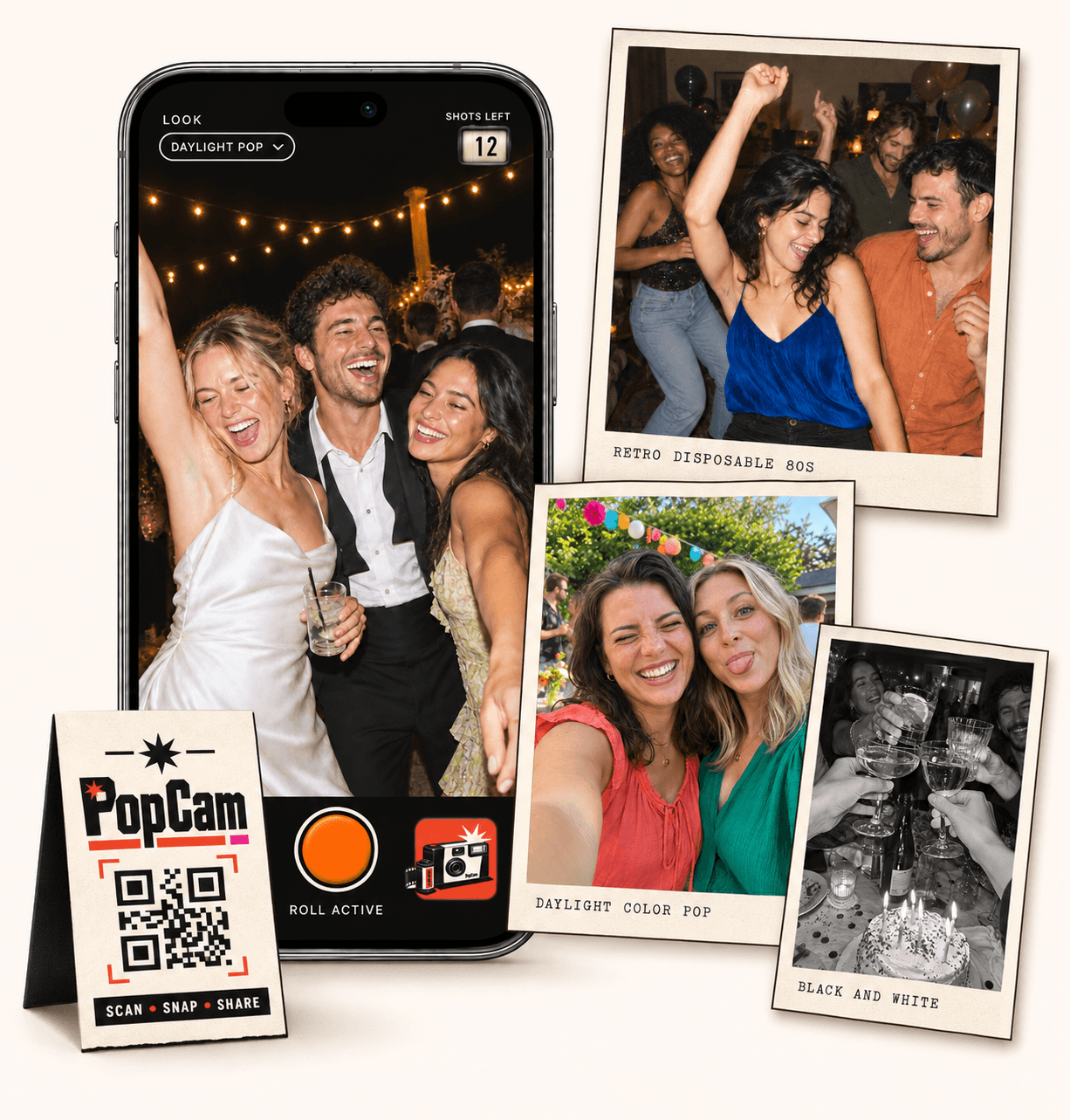
A Guestpix alternative for hosts who want taking photos to be part of the party. PopCam gives each guest a digital camera, a 12- or 24-photo roll and a shared album to discover when you choose. Scan the event QR code and start shooting in the browser.
No app
Guests open the camera in their phone’s browser. No app download needed.
12 or 24
Choose a photo allowance for your event. Guests see their remaining shots as they take photos.
Private
Collect uploaded PopCam photos in an album you share through its own link.
Review
Use your host panel to review photos and plan when the album opens.
Compare the experience
This comparison is published by PopCam using the product sources below. GUESTPIX is a separate product and is not affiliated with PopCam. Features and plans can change.
Sources checked September 30, 2026
Picture the invitation on your tables: take a photo of your favorite people, save a shot for the toast, and catch something the host missed. PopCam turns that invitation into a camera guests can open right away.
GUESTPIX centers on collecting guest uploads, including videos and messages. It is worth considering when you want those different types of memories together. PopCam focuses on photographs captured through the event camera.
How it works
Before
Create and activate your event. Choose the roll, photo look and album reveal, then share your QR code.
During
Guests scan, open the camera and take their photos. Uploaded shots come together in your event album.
After
Review the collection before your chosen reveal time. Share the album link so your guests can enjoy the memories.
Choose 12 photos per guest for a short roll or 24 for more room to explore. The remaining-shot counter makes that allowance visible while people take pictures.
Set one photo filter for everyone or let guests choose their look. A consistent black-and-white collection and a mix of colorful perspectives create different moods; pick the one that suits your celebration.
Use the host panel to review your collection and choose when the album opens. A reveal after the celebration gives everyone a reason to return and discover moments from other tables, friends and parts of the room.
Tell guests how they will revisit the album when you invite them to take photos. Keep the event link with your celebration details so the collection is easy to find again.
Start with your guest count, then decide whether you want a photo-taking activity or a collection that also includes guest videos and messages. Check the package details for the kind of event you are planning.
PopCam’s current event packages appear below in Mexican pesos. GUESTPIX’s official pricing link is included in the comparison so you can review its current inclusions and selected currency before deciding.
Event packages
Choose your guest count and a roll of 12 or 24 photos per guest. Each package includes your event camera, QR code, photo filters and private album.
Prices in Mexican pesos (MXN) · One payment per event
Events
Events Plus
Choose a package to continue with your event details. You can review your selection before payment.
Neither requires guests to download a full app to participate. PopCam opens its camera in the browser, while GUESTPIX provides browser access to its gallery. Choose based on the experience and features you need.
PopCam is designed for photos taken through its guest camera. Its event packages do not provide bulk camera-roll uploads, video collection or a written guestbook. GUESTPIX may fit better when those are central to your plans.
Compare the total for your event, including capacity, features and currency. PopCam shows its current package prices in MXN below; the linked GUESTPIX page lists its own options. This comparison does not assume that the packages are equivalent.
Yes. Open the PopCam demo on your phone to try a three-photo roll, see the shot counter and explore the photo looks. It gives you a preview of what you will ask guests to do at your event.
Choose your package, set the look, and get ready to share your camera.