No app
Scan and start
Guests open the camera in their phone’s browser. No app download needed.
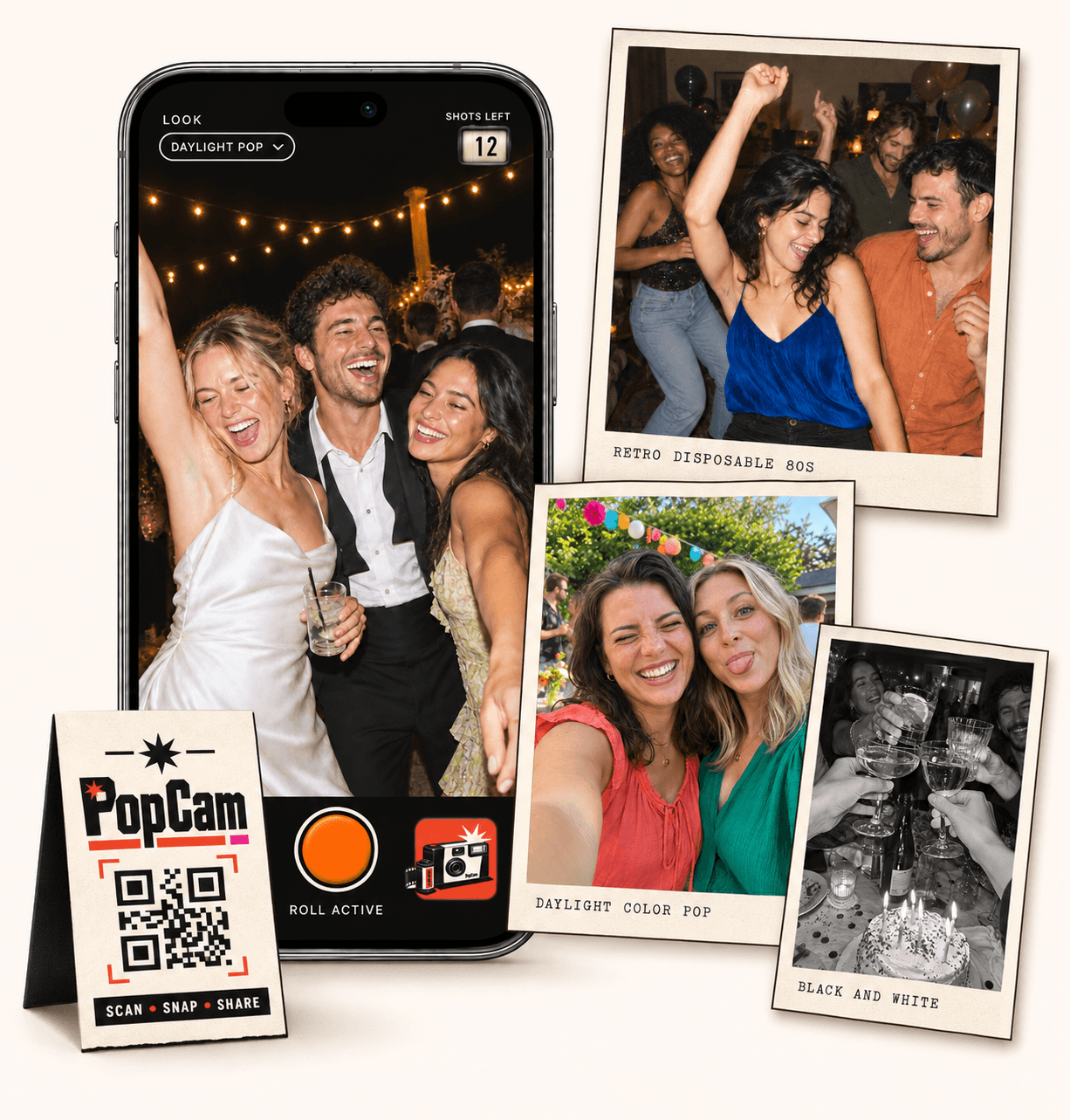
Wedding photo booth alternative, made for the moments around the room. PopCam turns your guests’ phones into a shared wedding activity: scan your QR code, take new photos with a limited roll and discover the album when you reveal it. Invite a table portrait, a dance-floor moment or a toast from across the room. No app download needed.
No app
Guests open the camera in their phone’s browser. No app download needed.
12 or 24
Choose a photo allowance for your event. Guests see their remaining shots as they take photos.
Private
Collect uploaded PopCam photos in an album you share through its own link.
Review
Use your host panel to review photos and plan when the album opens.
Start with the moment you want to create. Do you picture friends gathering at a photo spot, or noticing things throughout the reception? PopCam suits the second idea: guests carry the camera on their own phones and decide when to use a shot.
You can also use both experiences. A booth can be the place for a planned group pose while PopCam collects the toast at another table, the reunion by the entrance and the friends still dancing.
If you want a particular backdrop, lighting setup or printed souvenir, check which equipment and services your chosen booth package includes. Plan where that experience will fit in the room.
PopCam uses guests’ own phones. Share your event QR at the places people gather and invite them to photograph the celebration from their seats, conversations and corners of the dance floor.
How it works
Before
Create and activate your event. Choose the roll, photo look and album reveal, then share your QR code.
During
Guests scan, open the camera and take their photos. Uploaded shots come together in your event album.
After
Review the collection before your chosen reveal time. Share the album link so your guests can enjoy the memories.
Give your photo activity a simple introduction. A line such as “Take a few photos for our wedding album” tells guests why the QR is there. Add when the album will open so they know there is something to come back for.
Create and activate your event before printing its QR. Scan that code from another phone to check that it opens your wedding camera; the PopCam demo has a separate code for trying the experience.
Pick a package with 12 or 24 photos per guest. Set one filter for the collection or let guests choose a look in their own camera.
Put your event QR on reception tables or beside the guest book. Send the direct guest link in a message for people opening it on the same phone.
Ask your host or a friend to demonstrate one photo. Explain the limited roll and invite everyone to save a few shots for later in the evening.
A prompt gives guests a starting point without turning the reception into an assignment. Put two or three on a table card, then leave room for whatever catches their eye. Invite people to ask before photographing someone who may prefer to stay out of the album.
Take a photo with someone you just met, catch your table raising a glass or gather the friends who have known each other the longest.
Photograph a place setting, a handwritten note or a small moment that made you smile. Give the couple a view from your side of the celebration.
Keep a shot for your favorite dance-floor group or a final photo together. The shots-left counter helps guests see how much of their roll remains.
Uploaded photos join your wedding’s digital album. The host review panel gives you a place to check the collection, and your reveal setting decides when guests can discover it. Choose immediate access or save the reveal for after the reception.
Include the album link in your thank-you message so friends can revisit the evening together. Keep it within the group you intend to share with, since someone who receives the link can forward it.
Guests get a phone-camera activity and a digital collection to explore. PopCam packages do not include a booth, rental equipment or printed photo strips. If physical keepsakes are part of your plans, arrange those separately.
Open the three-photo demo on your phone. Try a group pose and a candid moment, explore the photo looks and watch the remaining-shot counter. Ask someone who will attend the wedding to try it too.
When visiting the venue, check the phone connection and lighting in the places guests will take photos. Uploads need internet access, and a filter does not provide extra light. Remind guests to check upload status before closing the camera.
Event packages
Choose your guest count and a roll of 12 or 24 photos per guest. Each package includes your event camera, QR code, photo filters and private album.
Prices in Mexican pesos (MXN) · One payment per event
Events
Events Plus
Choose a package to continue with your event details. You can review your selection before payment.
They use their own phones. Your event QR or guest link opens PopCam in the phone browser; guests allow camera access and take new photos there. The experience does not import existing pictures from their phone galleries.
Yes. You can plan a booth for the poses or physical extras included in its package, then use PopCam for moments around the rest of the reception. Explain each activity separately so guests know which camera they are using and where those photos will go.
Choose a package with 12 or 24 photos per guest. Their camera shows the shots remaining as they use the roll. The host also chooses whether everyone uses one filter or guests can select their own.
No. PopCam provides a digital camera experience and an event album, with immediate or scheduled reveal. Printing, physical props, backdrops and rental equipment are not part of its packages.
Choose your package, set the look, and get ready to share your camera.