No app
Scan and start
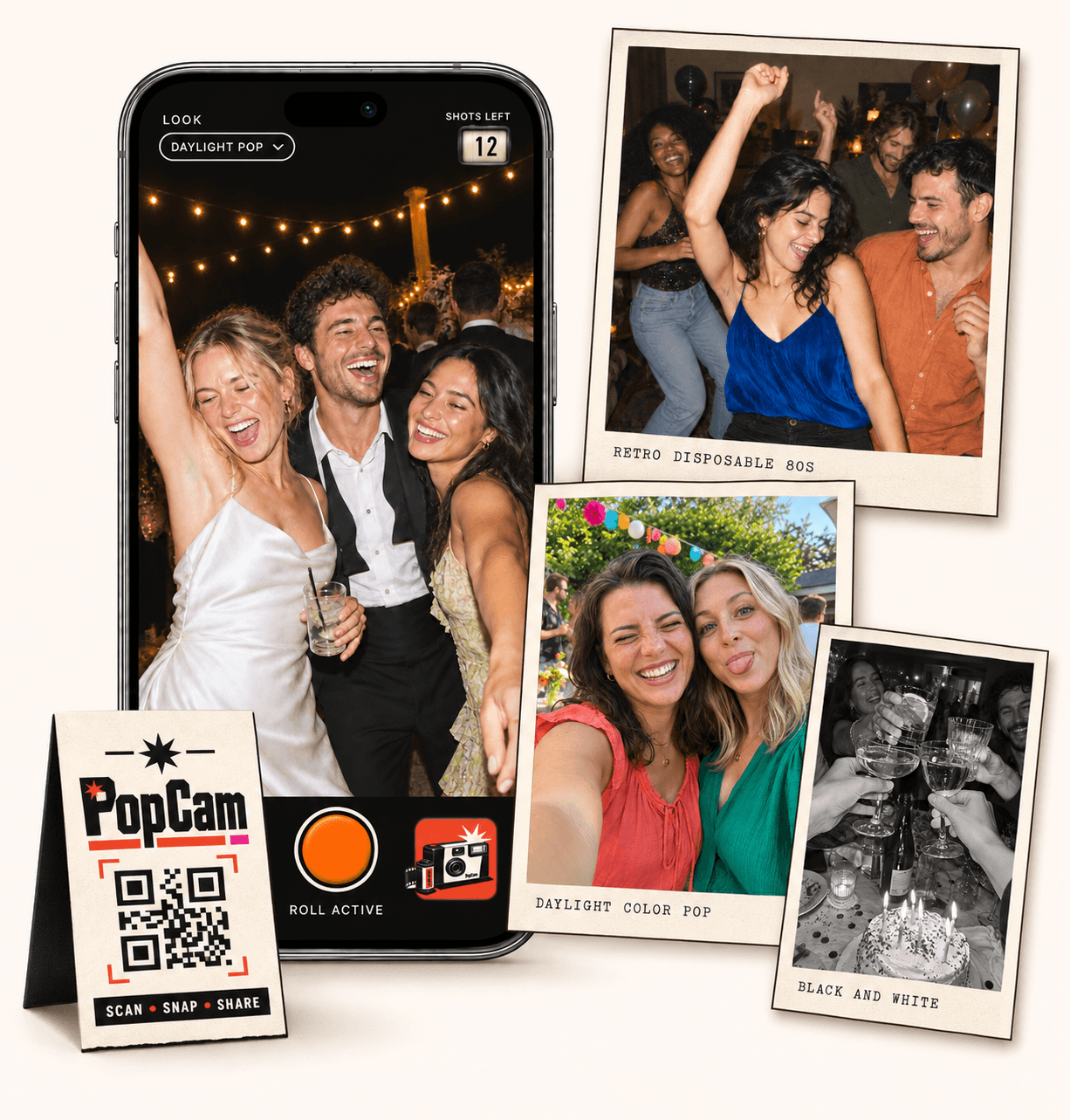
Guests open the camera in their phone’s browser. No app download needed.
Birthday party photo sharing gives the birthday person a chance to see the celebration through their friends’ eyes. With PopCam, guests scan a QR code, take new photos on a limited roll and contribute to one birthday album. Capture the cake, the reunions and the moments between the toasts, then reveal the collection when you choose. No app download needed.
No app
Guests open the camera in their phone’s browser. No app download needed.
12 or 24
Choose a photo allowance for your event. Guests see their remaining shots as they take photos.
Private
Collect uploaded PopCam photos in an album you share through its own link.
Review
Use your host panel to review photos and plan when the album opens.
The birthday person cannot be in every conversation at once. Friends can capture the decorations before the room fills, a reunion at the door or the table laughing at an old story. Together, those pictures add another side to the celebration.
Set up the camera before guests arrive and add a short invitation beside the QR: “Take a few photos for the birthday album. We’d love to see tonight through your eyes.” Send the direct guest link in your party message too.
How it works
Before
Create and activate your event. Choose the roll, photo look and album reveal, then share your QR code.
During
Guests scan, open the camera and take their photos. Uploaded shots come together in your event album.
After
Review the collection before your chosen reveal time. Share the album link so your guests can enjoy the memories.
A 30th, 40th or 50th birthday needs more than a different number on the same sign. Choose prompts that fit the person, their friendships and the kind of celebration they enjoy. Keep the invitation light so taking photos adds to the evening.
Invite a photo with an old friend and a new one, a favorite detail from the party and the moment the dance floor gets going.
Bring different circles into the picture: childhood friends, family and people who know the birthday person from another part of life.
Photograph the people behind a favorite story, the birthday person with each table and a spontaneous moment from the celebration.
Choose 12 or 24 photos per guest. The camera’s shots-left counter helps friends spread their photos across the party instead of using the whole roll before the cake arrives.
Suggest a few moments without making everyone follow the same list: one picture with the birthday person, one candid moment and one detail they might otherwise miss. Ask a friend to remember the candles and another to capture the toast; guest photos do not guarantee coverage of every moment.
Choose one fixed look for a coordinated collection, or let guests select their own filter in the camera. A retro color look can suit a themed party, while black and white gives friends another way to capture the evening.
Try the camera demo before the celebration, including in lighting similar to your venue. Guests need camera permission and a connection for uploads, so check the Wi-Fi or reception where you plan to display the QR.
Set immediate reveal if you want guests to see the album during the party, or schedule it for afterward. A later reveal gives the birthday person a collection to discover once the celebration has settled down.
Review the photos from the host panel and share the album link with your group. The link can be forwarded, so keep it with the intended audience and check before sharing someone’s birthday pictures more widely.
Event packages
Choose your guest count and a roll of 12 or 24 photos per guest. Each package includes your event camera, QR code, photo filters and private album.
Prices in Mexican pesos (MXN) · One payment per event
Events
Events Plus
Choose a package to continue with your event details. You can review your selection before payment.
Yes. You can create and manage the event as the host, invite guests to its camera and share the revealed album with the birthday person. The host is responsible for the event setup and reviewing its collection.
No. Choose an event package for the number of participating guests and either 12 or 24 photos per person. The camera experience is the same; your theme, photo prompts and event settings make it personal.
The PopCam camera captures new still photos for this celebration. It does not import old pictures from a phone gallery or collect videos, so arrange a separate way to share those if they are part of your birthday plans.
Yes. They scan your birthday QR code or open the guest link in their phone browser and allow camera access. Their photos need an internet connection to upload; ask them to check upload status before closing the camera.
Choose your package, set the look, and get ready to share your camera.