No app
Scan and start
Guests open the camera in their phone’s browser. No app download needed.
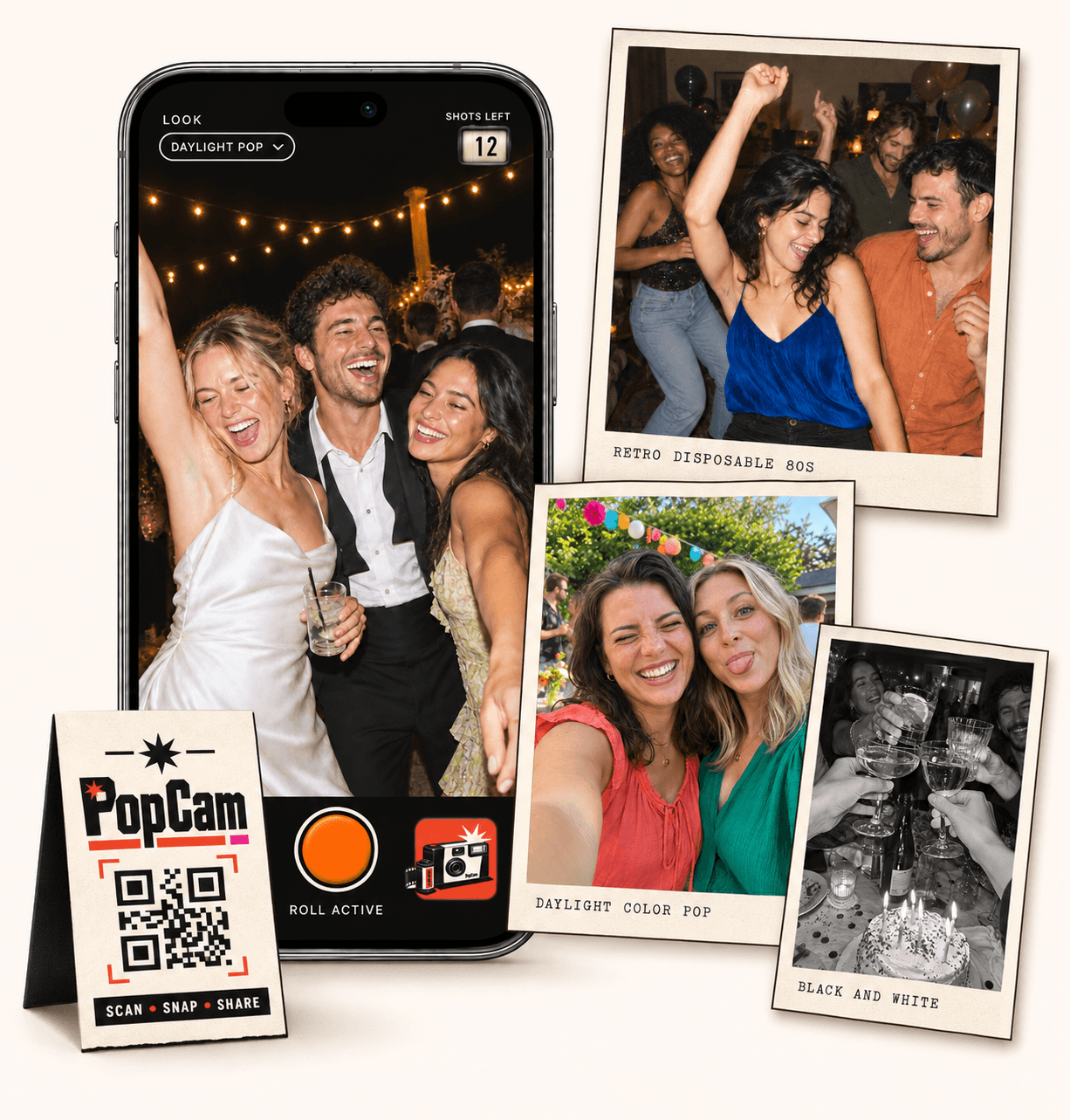
A party photo sharing app with the fun of a disposable camera. PopCam gives each guest a limited roll on their phone, with filters, a shots-left counter and one album for the celebration. Share your QR code, invite everyone to take a few pictures and choose when the collection is revealed. No app download needed.
No app
Guests open the camera in their phone’s browser. No app download needed.
12 or 24
Choose a photo allowance for your event. Guests see their remaining shots as they take photos.
Private
Collect uploaded PopCam photos in an album you share through its own link.
Review
Use your host panel to review photos and plan when the album opens.
A birthday toast, the friend who knows every lyric, the group squeezed onto one couch: the best collection often comes from more than one point of view. Invite guests to photograph what they notice, instead of assigning one person to document the whole evening.
PopCam is a camera guests use during your event. Their uploaded shots join the same album, so you have a place for those moments without asking everyone to send their pictures afterward.
How it works
Before
Create and activate your event. Choose the roll, photo look and album reveal, then share your QR code.
During
Guests scan, open the camera and take their photos. Uploaded shots come together in your event album.
After
Review the collection before your chosen reveal time. Share the album link so your guests can enjoy the memories.
Choose 12 or 24 photos per guest. The counter shows how many shots remain as people take pictures, making it easy to save a few for the cake, the dance floor or the last group photo.
Try one shot with the guest of honor, one table photo and one moment that needs no explanation.
Ask friends to capture a familiar face, a new friendship and the detail that makes this gathering yours.
Set one filter for the whole party when you want a consistent mood, or let guests choose a look in their own camera. Color and black-and-white options give the collection a different feel without sending everyone to an editing app.
Try the demo on your phone before deciding. The filter adds a style; lighting and the phone camera still shape the picture, especially in a dark room.
A small card beside the drinks or a sign near the entrance can invite people to join. Add one sentence explaining what to do, and send the guest link in your party chat for anyone opening it on the same phone.
Guests need camera permission and a connection to upload. At a venue with weak reception, remind them to check upload status before closing the camera.
Scan. Snap. Try it.
This code opens the demo. Your event gets its own QR code when you create and activate it.
Open demo on this phoneChoose immediate reveal or schedule the album for later. A reveal after the celebration gives friends a reason to come back and see the moments they missed.
Use your host review panel to check the collection. Share the album link with your group, remembering that someone who receives that link can pass it on.
Event packages
Choose your guest count and a roll of 12 or 24 photos per guest. Each package includes your event camera, QR code, photo filters and private album.
Prices in Mexican pesos (MXN) · One payment per event
Events
Events Plus
Choose a package to continue with your event details. You can review your selection before payment.
No. Your QR code or guest link opens PopCam in their phone browser. They allow camera access and take photos there.
This experience is for taking new photos in the PopCam camera. It is not a bulk upload tool for existing phone galleries.
Yes. Choose the guest capacity and roll size for your celebration, then personalize your event setup. The same camera experience works for different birthdays.
No. Guests use their own phones. The limited roll and filters bring a disposable-camera feel to a digital party album.
Choose your package, set the look, and get ready to share your camera.