No app
Scan and start
Guests open the camera in their phone’s browser. No app download needed.
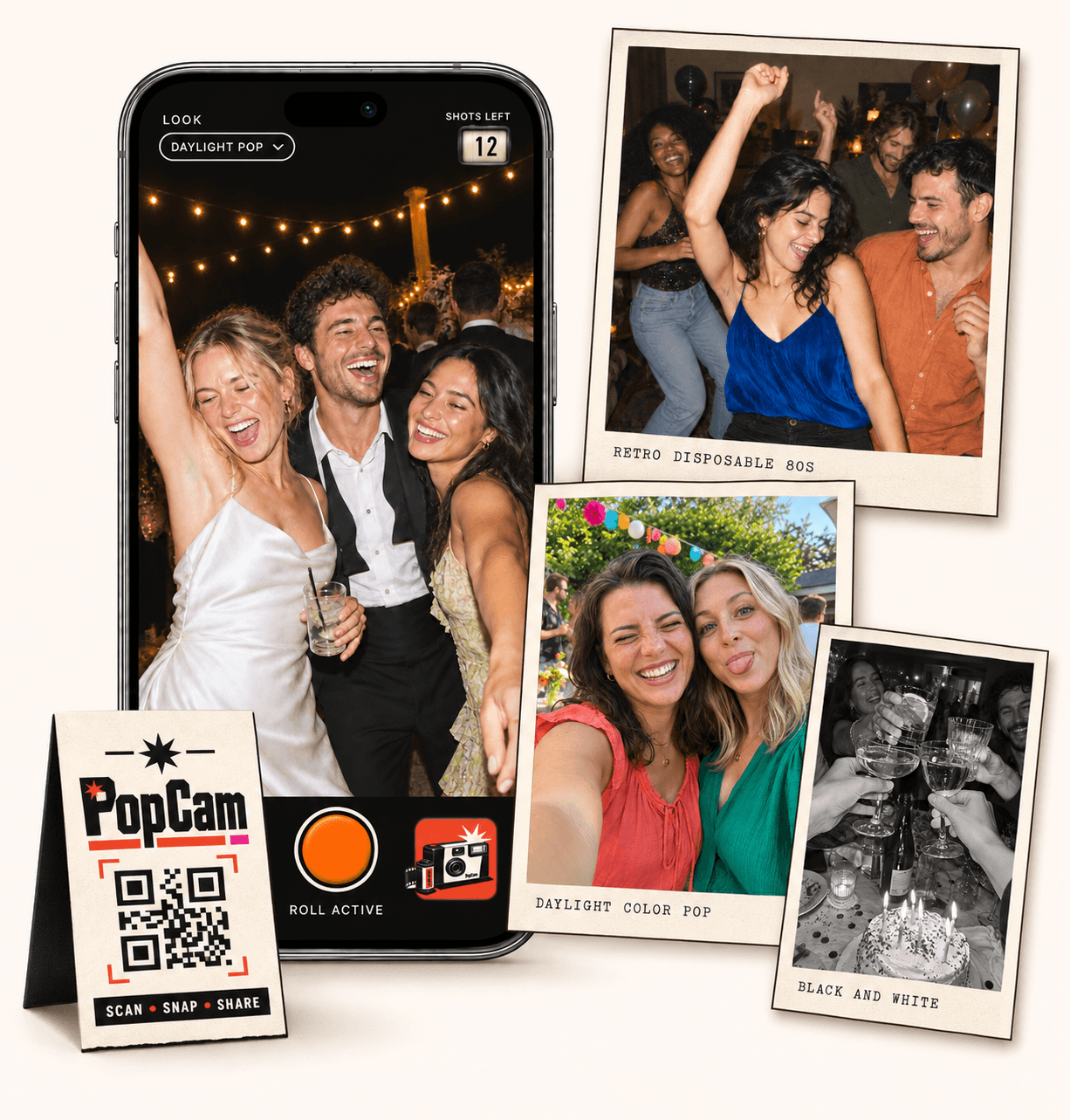
An event photo sharing app for the moments your guests see. PopCam brings their new photos into one event album through a browser-based camera. Choose the guest capacity, give everyone a 12- or 24-photo roll, share a QR code and decide when the album opens. No app download needed.
No app
Guests open the camera in their phone’s browser. No app download needed.
12 or 24
Choose a photo allowance for your event. Guests see their remaining shots as they take photos.
Private
Collect uploaded PopCam photos in an album you share through its own link.
Review
Use your host panel to review photos and plan when the album opens.
Guest pictures are easier to gather when people know where to take them. Set up one event camera and explain it in your invitation or welcome message. At the venue, the same QR code gives attendees a clear place to begin.
Think about who will participate, when they will take pictures and when you want the album revealed. Those choices give your photo collection a beginning and an ending instead of leaving it scattered across messages.
How it works
Before
Create and activate your event. Choose the roll, photo look and album reveal, then share your QR code.
During
Guests scan, open the camera and take their photos. Uploaded shots come together in your event album.
After
Review the collection before your chosen reveal time. Share the album link so your guests can enjoy the memories.
Event packages combine a guest capacity with 12 or 24 photos per participant. Choose for the number of people you expect to join the camera, not just for the total number of photos you hope to receive.
A shorter roll suits a few memorable moments. A longer roll gives guests more room to photograph different parts of the event. Each camera shows the remaining shots, so the limit is visible while people use it.
Place your event QR on welcome signs or tables, and include the direct guest link in messages. Guests open the browser camera on their own phones and grant camera permission; there is no app-store installation step.
Try the demo on a phone before the event and check the venue’s connection. Photos need internet access to upload, and guests should check upload status before closing their browser.
The host panel gives you a place to review guest photos. Choose immediate reveal when you want the album available during the event, or a scheduled reveal for a collection people discover afterward.
Immediate album access is not a live slideshow. PopCam’s experience centers on taking photos and viewing an album, rather than projecting a constantly updating wall at the venue.
Once the album opens, share its link with your attendees. Keep that link within your intended group: a recipient can forward it, so link access is not the same as individually verified membership.
PopCam is designed for photos captured in its camera. If your event also needs video collection, imports from existing galleries or a professional photographer’s delivery system, plan those separately.
Event packages
Choose your guest count and a roll of 12 or 24 photos per guest. Each package includes your event camera, QR code, photo filters and private album.
Prices in Mexican pesos (MXN) · One payment per event
Events
Events Plus
Choose a package to continue with your event details. You can review your selection before payment.
No. Each event has its own camera link and album. Share the QR and links created for the event you want guests to join.
Yes. The host can fix a look for the event or allow guests to choose their own filter in the camera.
It gives you photos from attendees’ points of view. It can complement a photographer’s work, but does not promise professional coverage or a photograph of every important moment.
The packages on this page show guest capacity, roll size and the current price in Mexican pesos (MXN). Select a package to carry that choice into event setup.
Choose your package, set the look, and get ready to share your camera.