No app
Scan and start
Guests open the camera in their phone’s browser. No app download needed.
Guest photo sharing gives your celebration more than one point of view. Invite people to scan your PopCam QR, take a few new photos and add their moments to one event album. A limited roll keeps the camera playful, and you decide when everyone gets to see the collection. No app download needed.
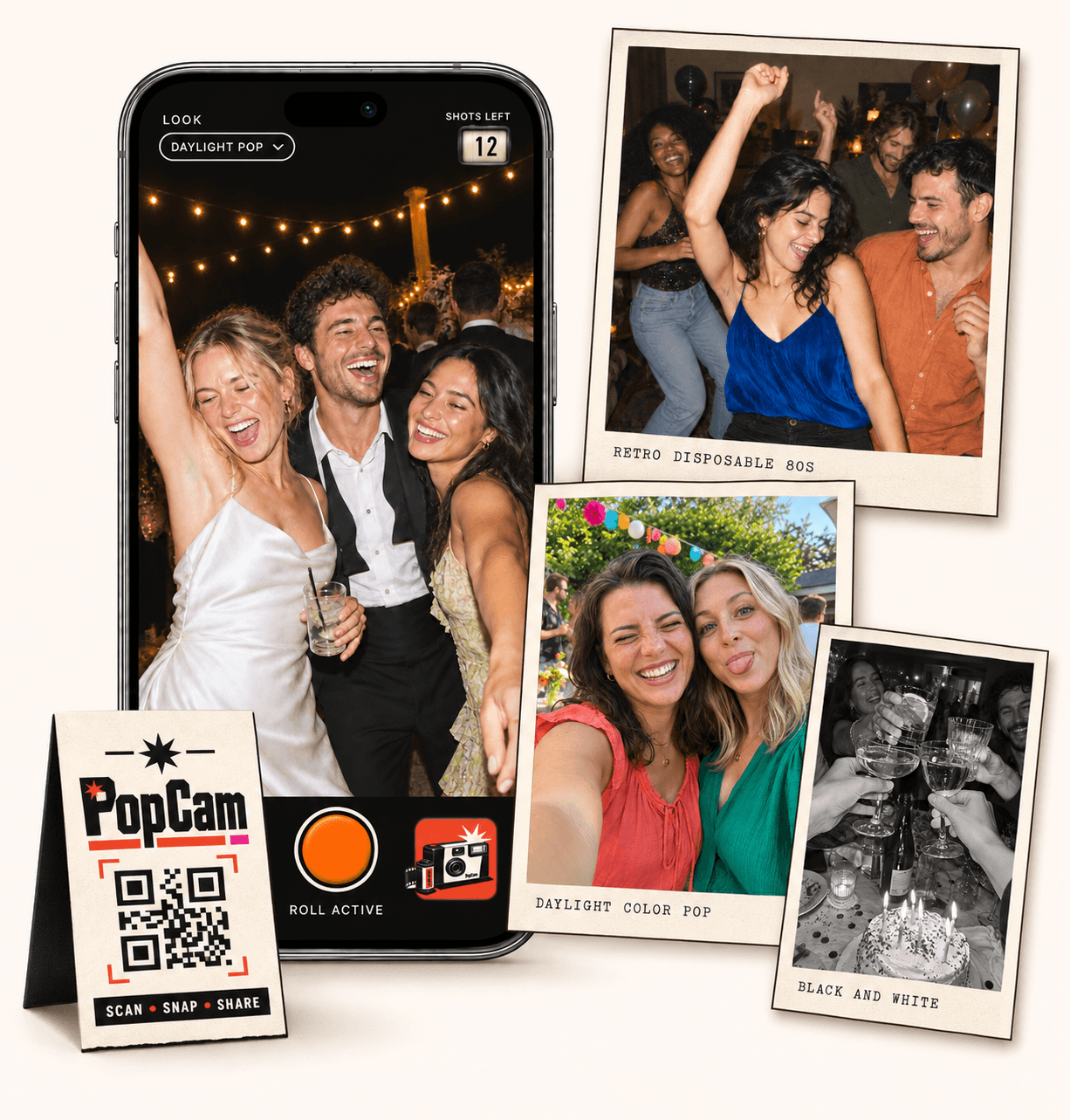
No app
Guests open the camera in their phone’s browser. No app download needed.
12 or 24
Choose a photo allowance for your event. Guests see their remaining shots as they take photos.
Private
Collect uploaded PopCam photos in an album you share through its own link.
Review
Use your host panel to review photos and plan when the album opens.
A specific, friendly invitation works better than a long set of instructions. Tell guests why you would love their pictures, where to take them and that a few moments are enough. Keep participation optional so people can enjoy the event in their own way.
Use these short invitations on a table card, welcome sign or message. Pair the printed version with your event QR and the message version with the direct guest link.
“Help us see the celebration through your eyes. Scan here and take a few photos for our album.”
“We’d love a few pictures from your side of the party. Open our guest camera here and capture a favorite moment.”
“There’s a camera for everyone on the table cards. Take a photo of your people, a favorite detail or something that makes you smile.”
How it works
Before
Create and activate your event. Choose the roll, photo look and album reveal, then share your QR code.
During
Guests scan, open the camera and take their photos. Uploaded shots come together in your event album.
After
Review the collection before your chosen reveal time. Share the album link so your guests can enjoy the memories.
Some guests will start shooting immediately; others appreciate a prompt. Suggest a table portrait, two people who just met, a detail chosen by the host or a moment of laughter. A few varied ideas can bring more than the same posed group photo.
Ask before taking a close-up of someone who may not want to be photographed. Guest participation should add to the occasion, not make people feel watched.
Choose 12 or 24 photos per guest. The shots-left counter moves as people take pictures, so they can spread their roll across the celebration and save a few for later.
Set one filter for everyone or let each person choose a look in the camera. Both options give guests a shared starting point while leaving room for their own perspective.
PopCam collects new photos taken inside its browser camera. Guests do not need to search an app store or sort through an existing phone gallery to participate.
They do need to allow camera access and have a connection for uploads. Encourage them to check upload status before closing the browser, especially at venues with patchy reception.
Choose immediate or scheduled reveal, review the collection in your host panel and share the album when it is ready. A short thank-you with the album link gives guests a reason to revisit what they helped create.
Keep the link within your intended group. The album uses link access, and someone who receives the link can forward it.
Event packages
Choose your guest count and a roll of 12 or 24 photos per guest. Each package includes your event camera, QR code, photo filters and private album.
Prices in Mexican pesos (MXN) · One payment per event
Events
Events Plus
Choose a package to continue with your event details. You can review your selection before payment.
Keep it short: explain that you would love their view of the celebration, share the QR or guest link and suggest one or two moments. Invite a few photos rather than asking guests to document the entire event.
Yes. PopCam opens in a phone browser. Guests allow camera access and take photos there, without downloading an app.
Guest photos are spontaneous. PopCam helps collect those viewpoints but cannot guarantee complete event coverage. Use a separate plan for photographs you absolutely need.
That depends on your reveal setting. Choose immediate access or schedule the album to open later, and use the host panel to review the collection.
Choose your package, set the look, and get ready to share your camera.